 QuickTrack For Schools
Chromebooks and web
School library software for Chromebooks and the web.
Not every classroom has a Mac or a Windows PC. QuickTrack has a browser version, so staff on Chromebooks and other devices can use the same school library as everyone else.
Download a free demoAsk us a question
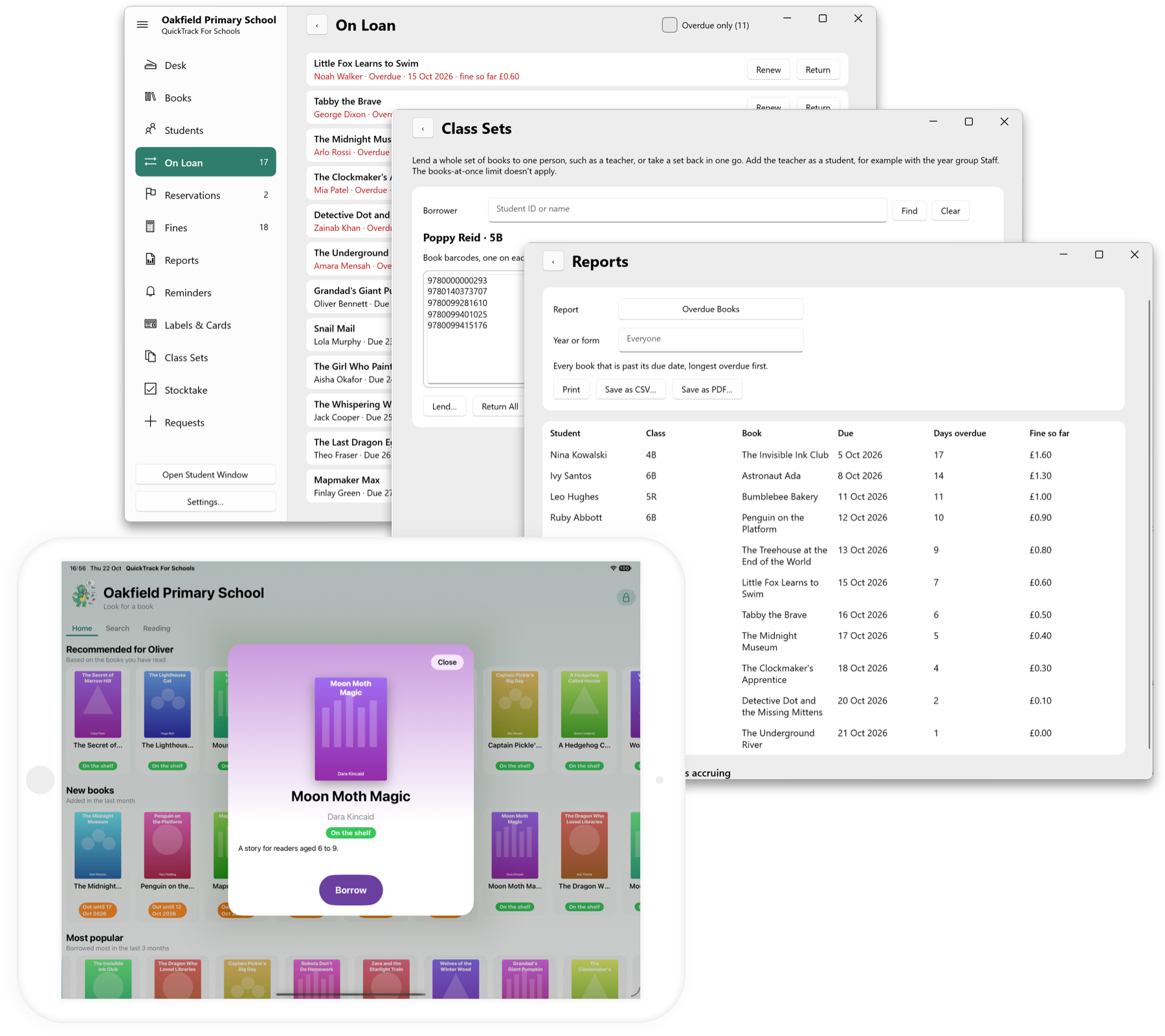
One library, on whatever devices you have
QuickTrack has native apps for Mac and Windows (Intel and Arm) and for iPhone and iPad, plus a web version for any modern browser, including Chromebooks. They all use the same library, so a book borrowed on one device is on loan on every device.
What the web version needs
The web version needs your school to host a server for the library. That can be a computer running the Mac or Windows app with Library Sharing switched on, or our dedicated server version. Devices in school then connect to it from the browser.
Get in touch before you decide. We will talk through what you have and recommend the simplest setup for your school.
Try it before you decide
Download the free demo for Mac or Windows. It includes every feature and lets you add up to 10 books and 10 students, so you can see how QuickTrack works with your own data before setting up anything else.
Your data stays with you
The library is kept on your own computers, encrypted with AES-256 along with every backup. There are no accounts for children and no ads. If you share the library between devices, one of your computers acts as the server.
Up and running in an afternoon.
Try the demo
Download QuickTrack for Mac or Windows and use it with a few of your own books.
Choose your server
Use a school computer running the app with Library Sharing, or ask about the dedicated server.
Connect your devices
Open the library from a browser on Chromebooks and other devices.
Questions
Does QuickTrack work on Chromebooks?
Yes, through the web version in any modern browser. It needs a server in school: a computer running the Mac or Windows app with Library Sharing, or the dedicated server version.
Can we run it without a Mac or Windows PC?
The library has to be hosted somewhere in school. Get in touch and we will advise on the dedicated server option.
How much does it cost?
£297.00 per year per library. Additional devices can connect to the main library free of charge.
See it with your own books.
The free demo allows you to access all features of the software and add up to 10 books and 10 students.